
The BitBox02 Nova is a hardware wallet. It does one job for a solo miner: it holds the private keys that control your bitcoin, and it keeps them off your computer. It does not mine anything. A wallet only stores keys and signs transactions, so you still need a separate miner to do the hashing.
That split matters for how solo mining works. If your miner ever finds a block, the reward goes to the address you set in the miner's config. Point that address at your hardware wallet instead of an exchange account or a hot wallet on your laptop. The coins live on the blockchain, and the device just holds the keys that can move them. This is the main thing the wallet gives a miner: a place to receive a rare payout that you control yourself.
Small home miners find blocks only rarely, so treat any payout like a lottery win, not a paycheck. Small open-source devices like the Bitcoin Solo Nerdminer V2 78KH/S fit that lottery style of mining. Whatever you run, set the payout address once, then double-check it on the wallet's screen before you trust it.
A few habits are worth building from day one:
- Buy the wallet only from the maker's official shop or an authorised reseller, and check the packaging for signs of tampering.
- Never type your recovery words into a computer or phone. A real wallet setup won't ask you to.
- Keep your backup offline, and use the maker's manual for the exact backup steps on your model.
- If you add an optional passphrase, remember that losing it can mean losing access to the funds.
Specs can differ between the maker's site and reseller listings, so confirm details like connection type, supported coins and edition (Bitcoin-only or multi-coin) on the maker's page before you buy. If you only plan to hold bitcoin from your mining, a Bitcoin-only edition may be all you need.
How Open Source Code Builds Trust
Open source means the code that runs on the device is published where anyone can read it. For the wallet, the firmware is on GitHub. That lets outside programmers, researchers, and curious owners look at what the device does with your keys, instead of taking the maker's word for it. Check the maker's site for the exact licence.
Open source does not mean unhackable. It means problems can be found and questioned in public. Closed code can hide a flaw for years, and open code can hide one too if nobody looks closely. So treat it as one good sign, not a guarantee. Plenty of people read the code, and that review is where the trust comes from.
Here is how to put that to use before you buy:
- Find the firmware repository from the maker's own site, not from a random search result, so you know you are looking at the real project.
- Look at how active it is. Recent updates and open discussions usually point to a project people are still maintaining.
- Read the maker's notes on how firmware updates get installed, and follow the manual's steps when you update.
- Ask whether you can verify the firmware you run, and read the maker's guidance on how to do it for your model.
You don't need to read code yourself to benefit. If you can't, the value is that others can, and that mistakes tend to get pointed out in the open. The same idea shows up across solo mining gear. A device like the NerdQaxe++ Bitcoin Miner is listed as open source too, so you can look at what your miner does with its settings the same way you can with your wallet.
One limit is worth knowing. Open code only covers the software. The chips inside and the physical device still depend on the maker's hardware choices, and a fake or tampered unit can look fine from the outside. Open source doesn't fix that, so run the setup checks in the maker's manual when the device first starts up.
Swiss Made Design and Build Choices
"Swiss made" can mean different things on a product page. It might point to where the company is based and where the design happens, or it might mean where the parts are made and assembled. Those aren't the same, so check the maker's site for exactly what it claims about the wallet line. The maker is Shift Crypto AG, based in Zurich, and the product page is the place to confirm how it words its Swiss claim.
The design choices matter more than the flag. A few things are worth checking on the maker's page before you buy, because they shape how the wallet feels in daily use:
- The secure chip: the device pairs a main microcontroller with a separate secure chip. Read how the maker describes it, since sources differ on whether to call it a certified secure element.
- The connection: confirm whether your edition uses USB-C, Bluetooth, or both.
- The backup method: the maker supports a microSD card backup and a recovery-word option.
Build choices also affect where you keep the device. A hardware wallet is small, so it's easy to leave on a desk next to a running miner. Keep it away from the miner's fans and warm exhaust, and store it somewhere dry. If you run a home use miner, give the wallet its own spot in a drawer or safe instead of the same shelf. Miners pull real electrical power and give off heat, so keep cables tidy and don't stack gear over vents.
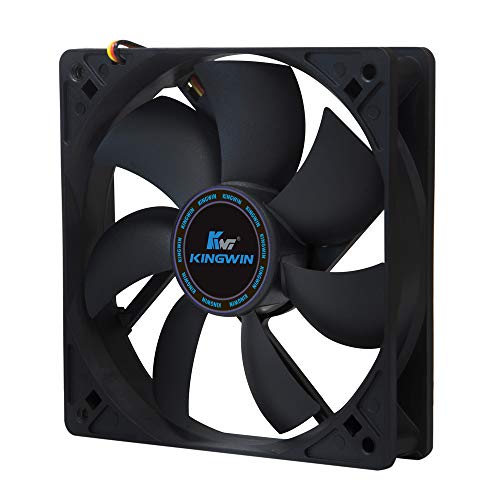
Kingwin 120mm Silent Fan for PC Cases, CPU Coolers, Mining Rigs – Quiet Computer Cooling Fan with Long Life Sleeve Bearing, High Airflow Ventilation – Black CF-012LB
Product information
Product Review Score
4.65 out of 5 stars
(124 reviews)Product links
Before you pay, run a short checklist: read the maker's page for the Swiss claim, compare the connection type against what the reseller lists, and ask whether the seller is on the maker's authorised list. If any detail doesn't match, skip that listing and buy from the official shop.
Pros
- A hardware wallet keeps your private keys on a separate device, so a solo miner's rewards can sit away from the computer or miner that earns them.
- Open-source firmware means anyone can read the code, which lets outside developers review how the device works instead of asking you to trust a closed black box.
- Having both a wallet and a small open-source miner in the same setup lets you keep mining and storage as two separate jobs, with each tool doing one thing.
- Solo mining pays out rarely and unpredictably, so a wallet you control gives you a safe place to receive a block reward on the off chance one ever lands.
Cons
- Open source code can be reviewed by anyone, but that does not guarantee it is free of flaws, and a flaw can stay hidden if nobody looks closely.
- If you lose your backup, or you forget an optional passphrase you set, you can lose access to your funds, and nobody can reset it for you.
Is the BitBox02 Nova Right for You
A hardware wallet like the BitBox02 Nova fits a solo miner who wants to keep the bitcoin rewards away from the computer or miner that earns them. It does not mine anything itself. If you don't own mining gear yet, the wallet is a second purchase, not a starting point.

imKey Pro Crypto Hardware Wallet Secure Cold Crypto Wallet with Offline Storage CC EAL6+ Secure for Digital Assets Bitcoin Ethereum XRP NFTs & ERC20 Tokens
Product information
Product Review Score
4.68 out of 5 stars
(62 reviews)Product links
It makes the most sense in a few situations. You run a small open-source miner, you want a place for a block reward to land if one ever does, and you like the idea of keeping mining and storage as two separate jobs. It also suits you if you plan to hold coins for a long time and are fine with looking after a physical backup. If you only want to watch a hash rate and have no plan to hold bitcoin, you can skip it for now.
A quick way to decide is to ask yourself these questions:
- Do I already run a miner, or am I planning to buy one?
- Am I comfortable keeping a physical backup safe for years?
Be honest about the budget side too. A small home miner finds a block rarely, so don't spend on a wallet expecting mining income to cover it. Compare the wallet's price on the maker's site with reseller listings. If the wallet cost is a stretch, put that money toward the miner setup first, and come back to the wallet when you have something worth storing. If you already hold bitcoin from other sources, the wallet is worth having sooner.
If you decide to buy, set aside a quiet half hour for the first setup, with the maker's manual open and your backup materials ready. Rushing the backup step is the most common way people get into trouble later.


